
Microsoft Outlook Integration
Integrate Microsoft Outlook with Kroolo to streamline your communication and task management. Manage emails, organize calendar events, and track tasks-all from within Kroolo. Stay productive and organized by syncing your Outlook data and enhancing your workflows.

Importable Entities
- Manage Emails, Sync and Manage Calendar Event
- Create and Track Tasks, Sync Contacts
- Automate Workflows & easily share emails, events, and tasks with your team
Integration Access Roles
Steps to Integrate Microsoft Outlook with Kroolo
Log into Your Kroolo Account
Select Microsoft Outlook
Connect Your Outlook Account
Choose What to Integrate
Import Your Data
For detailed guidance, visit our Help Center
Key Features of Microsoft Outlook - Kroolo Integration
Streamlined Communication
Manage emails directly in Kroolo without switching between multiple tools.

Seamless Calendar Sync
Automatically sync and manage your calendar events and meetings in Kroolo.
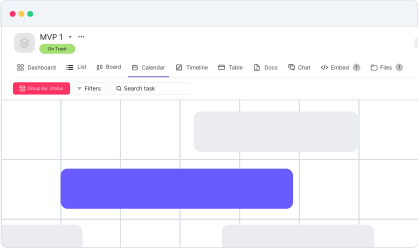
Efficient Task Tracking
Create and track tasks from your emails and calendar events.

Centralized Contact Management
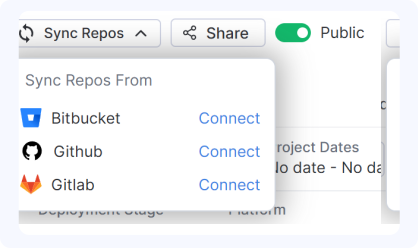
Sync your contacts across platforms for easy collaboration and faster communication.
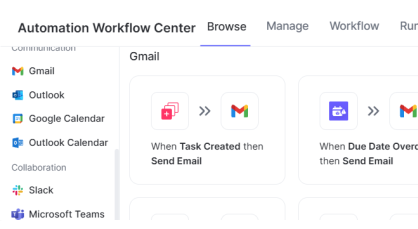
Time-Saving Automation
Automate workflows for emails, events, and tasks, eliminating manual work.

Start your integration now and bring your Microsoft Outlook data into Kroolo for a more efficient project management experience!
You might be interested in

Airtable
Manage projects, assign tasks, and track progress to improve team collaboration & efficiency.

Outlook
Sync your Microsoft Outlook emails and calendar with Kroolo for efficient project management.

Todoist
Stay organized and focused by managing tasks, projects, and priorities with Todoist.

Confluence
Create, share, and collaborate on knowledge and documentation with Confluence’s powerful tools.
Get Kroolo, The best of
AI and Work Management
Start for Free. Upgrade anytime!