

Apr 06, 2026
-
By Ivan
Remote work has unlocked a new era of flexibility, global hiring, and cost efficiency. But for agency leaders, it has also introduced a hidden challenge:
You can’t see the work anymore.
And when visibility drops, something else rises— “work about work.” Status updates, follow-ups, endless Slack pings, and meetings that replace clarity instead of creating it.
So the real question isn’t just which tool is best — It’s which tool gives you clarity without adding more noise.
Before we talk solutions, let's sit with the data for a moment.
Asana's Anatomy of Work Index — a survey of over 10,000 knowledge workers globally — found that knowledge workers spend 60% of their time on "work about work": tasks like chasing updates, attending unnecessary meetings, and switching between tools.
Let that sink in. More than half the workday isn't spent doing the skilled work your clients are paying for. It's spent coordinating that work.
On top of that, global knowledge workers spend 236 hours a year on duplicative work or work later deemed a waste of time. That's nearly six full work weeks, every year, flushed.
And the average knowledge worker? They're switching between 10 different apps every single day. Asana — each switch is a small tax on focus, context, and momentum.
For a remote agency where every deliverable, revision, and client conversation happens through digital channels, these numbers aren't abstract. They're the reason your team feels busy, but your projects feel slow.
In a traditional office, visibility is ambient. You walk past a desk, catch a conversation, see a whiteboard. Disorganisation announces itself. Remote work strips all of that away and replaces it with silence — which looks identical to progress, right up until a deadline is two days out.
Agency leaders in distributed environments face a specific version of this problem that researchers call "Work About Work": the layer of coordination, status-chasing, and tool-switching that sits between you and actual client delivery.
Here's what that looks like on a typical remote agency day:
Tasks are moving, but there's no single place to see what's done, what's blocked, and what's behind. Leaders default to meetings just to find out where things stand.
Briefs live in Google Drive. Revision notes are buried in email. Feedback came through a Slack thread that's now three weeks old. Tasks live in a separate project management tool. Nobody — including you — has the full picture at any given moment.
Without clear visibility, two team members can unknowingly work on the same deliverable. Hours lost, frustration high, and the client never knows how close to the edge things got.
Blockers surface too late. The leader becomes the connective tissue — the person everyone pings to unstick things — instead of the person steering strategy and growth.
For a remote agency leader, those numbers compound fast. Every hour spent doing status-check rounds is an hour not spent on client relationships, business development, or the high-value strategic work only you can do.
The natural instinct when facing a visibility problem is to add more tools. A project manager here, a communication layer there, a documentation repository somewhere else. Surely the right combination of apps will finally give you the clarity you need.
It won't.
What it gives you instead is tool sprawl — and a brand-new meta-problem: figuring out which tool currently holds the truth.
Research from ManyRequests, working closely with remote creative agencies, confirms this pattern: using multiple specialized tools can lead to tool fatigue and operational inefficiencies, often creating the very chaos they were meant to solve.
The typical remote agency stack looks something like this: Slack for messaging, Notion or Google Drive for documents, Trello or Asana for tasks, email for client communications, Zoom for meetings, Loom for async updates, and a spreadsheet somewhere tracking the actual financials. That's seven different places where "the current state of work" might be living.
When a client asks for a project update, where do you look? When a new team member joins, how do they get up to speed? When something goes wrong, how long does it take to reconstruct the full picture of what happened?
The answer in most remote agencies is: too long, in too many places, with too much asking around.
The fix isn't another layer of software. It's a fundamentally different architecture — one where everything is connected by design, not bolted together by integrations that break.

The concept of a "Single Pane of Glass" — borrowed from IT operations — describes a unified interface that surfaces all the information you need in one view, without requiring you to jump between systems.
For remote agency leaders, this isn't a luxury or a nice-to-have. It's the structural requirement that everything else depends on. You cannot manage what you cannot see.
And if seeing requires opening four apps and sending two Slack messages first, you're already losing.
This is the core problem that Kroolo is built to solve.
Most tools give remote agency leaders a place to store work. Kroolo gives them a place to see it — all of it, without chasing a single update. Here's how:
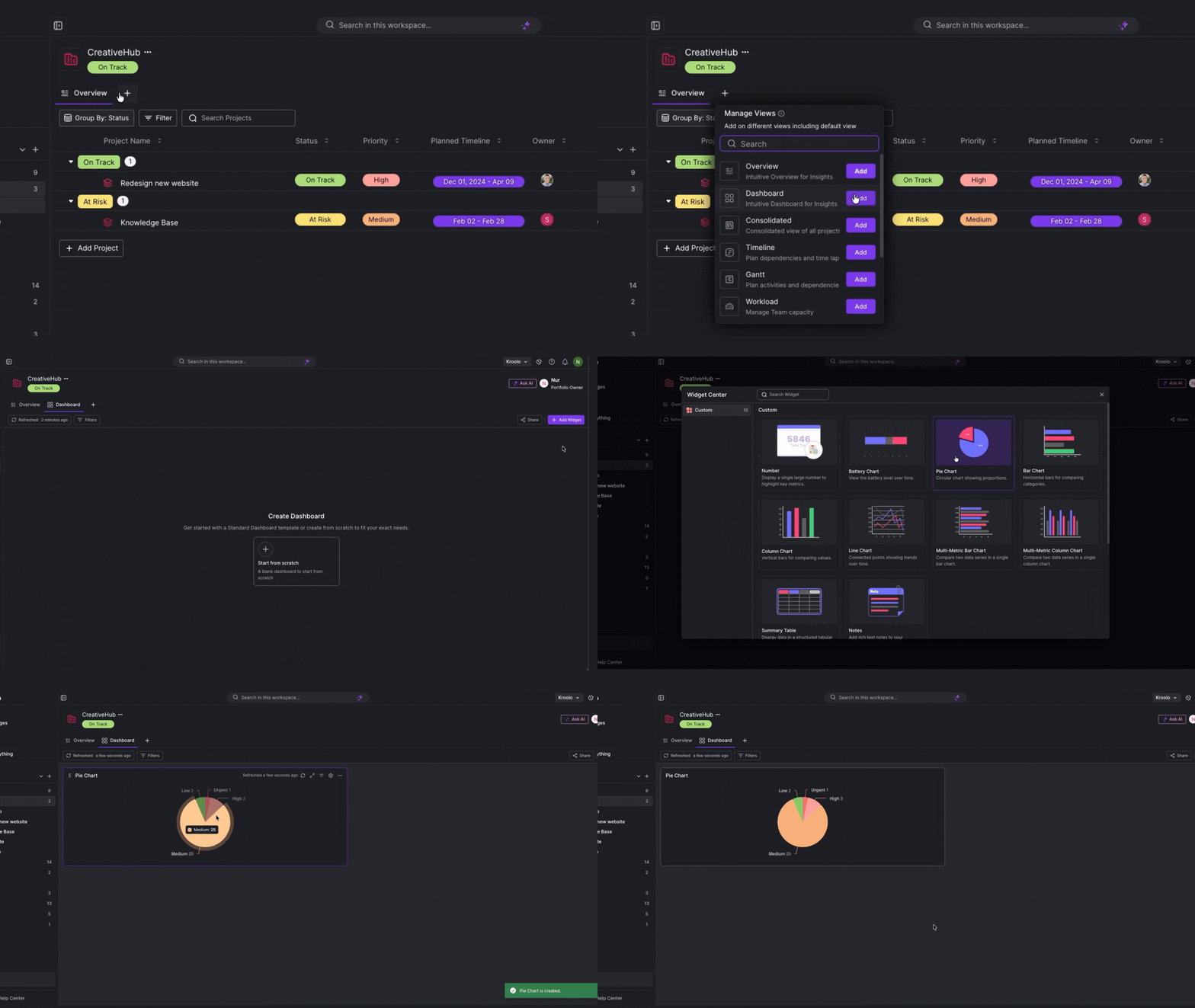
For a remote agency leader juggling multiple clients, the Monday morning question isn't "what needs to be done" — it's "where does everything actually stand?"
Kroolo's Portfolio Dashboards answer that in one screen. Build custom charts across all your projects, filter by status, priority, or time spent, and let the AI generate dashboards from a prompt. When a client asks for a progress update, export everything to PDF in one click.
No prep call. No digging. No asking around.
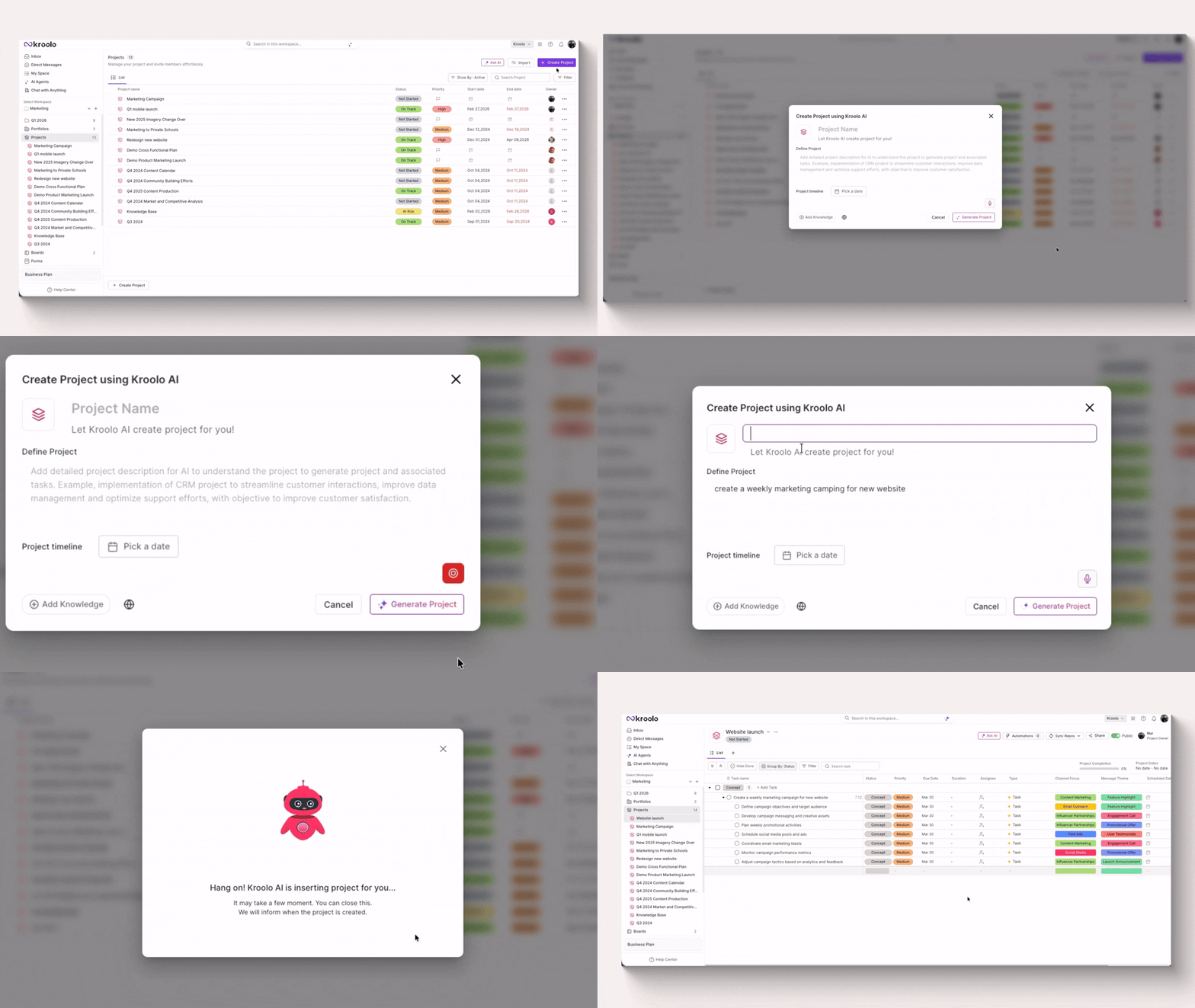
Context loss is one of the biggest productivity drains in remote agencies. Briefs in one place, tasks in another, goals somewhere else entirely.
Kroolo's Project Overview consolidates everything on a single screen — completion percentage, linked goals, attached documents, and a live task summary showing total, overdue, and incomplete tasks — all in one view.
Need a quick debrief before a client call? Hit the built-in Ask AI button, type your question, and get a plain-language summary of the project in seconds.
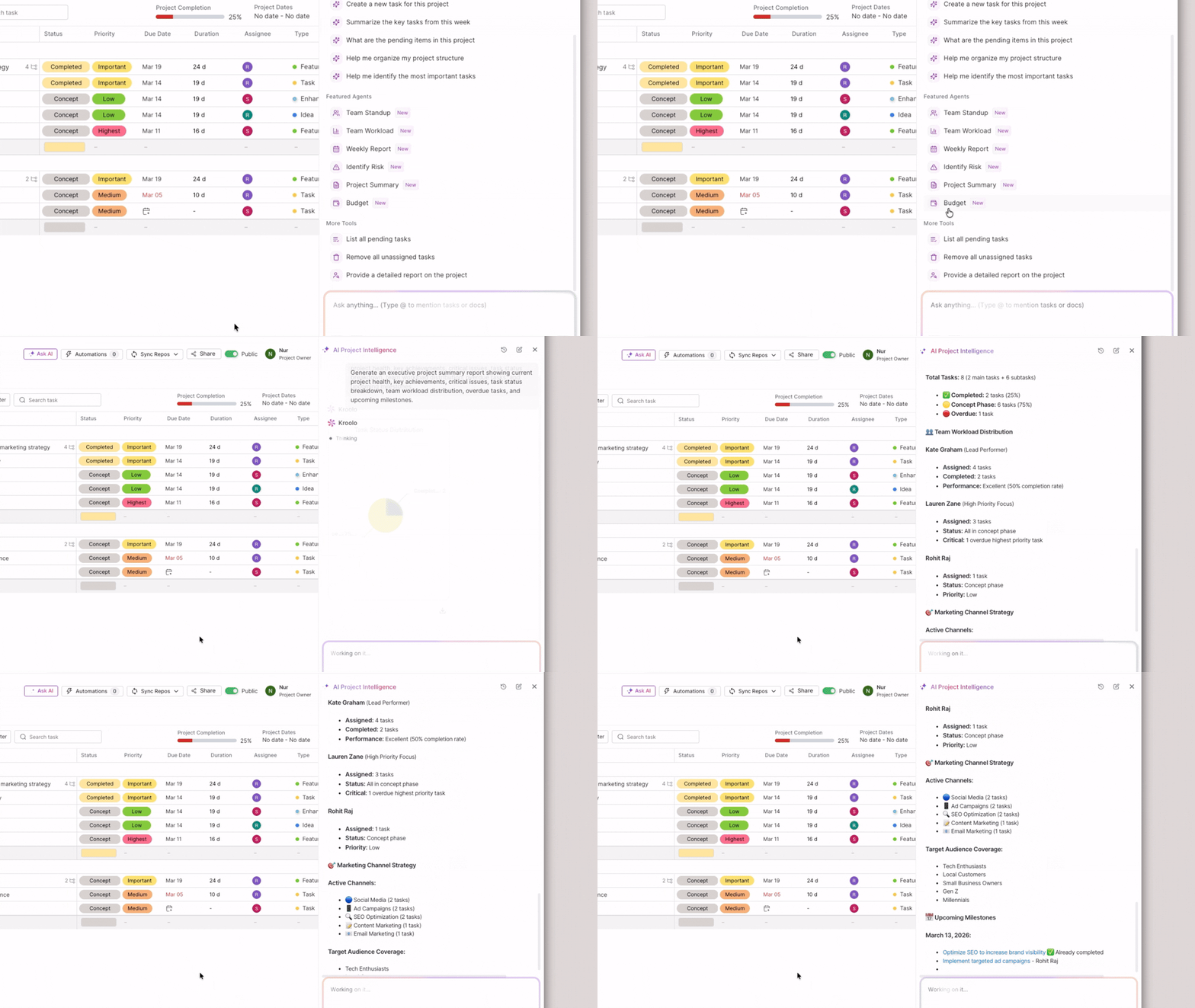
Remote agency leaders don't have time to dig through task lists for answers. Kroolo's Project AI brings the answers to you.
Ask any question about a project and get responses in both text and visual formats. @mention a specific task to get instant insights on it.
Use pre-configured AI agents to generate weekly reports, project summaries, and team workload breakdowns automatically.
If something needs action — a task reassignment, a comment, a follow-up — create it directly from the chat interface without leaving the conversation.
For remote leaders, this replaces the status update meeting entirely.
In a remote agency, information is scattered everywhere — Slack threads, Google Drive folders, Jira tickets, emails. Finding the right file at the right moment costs more time than most leaders realise.
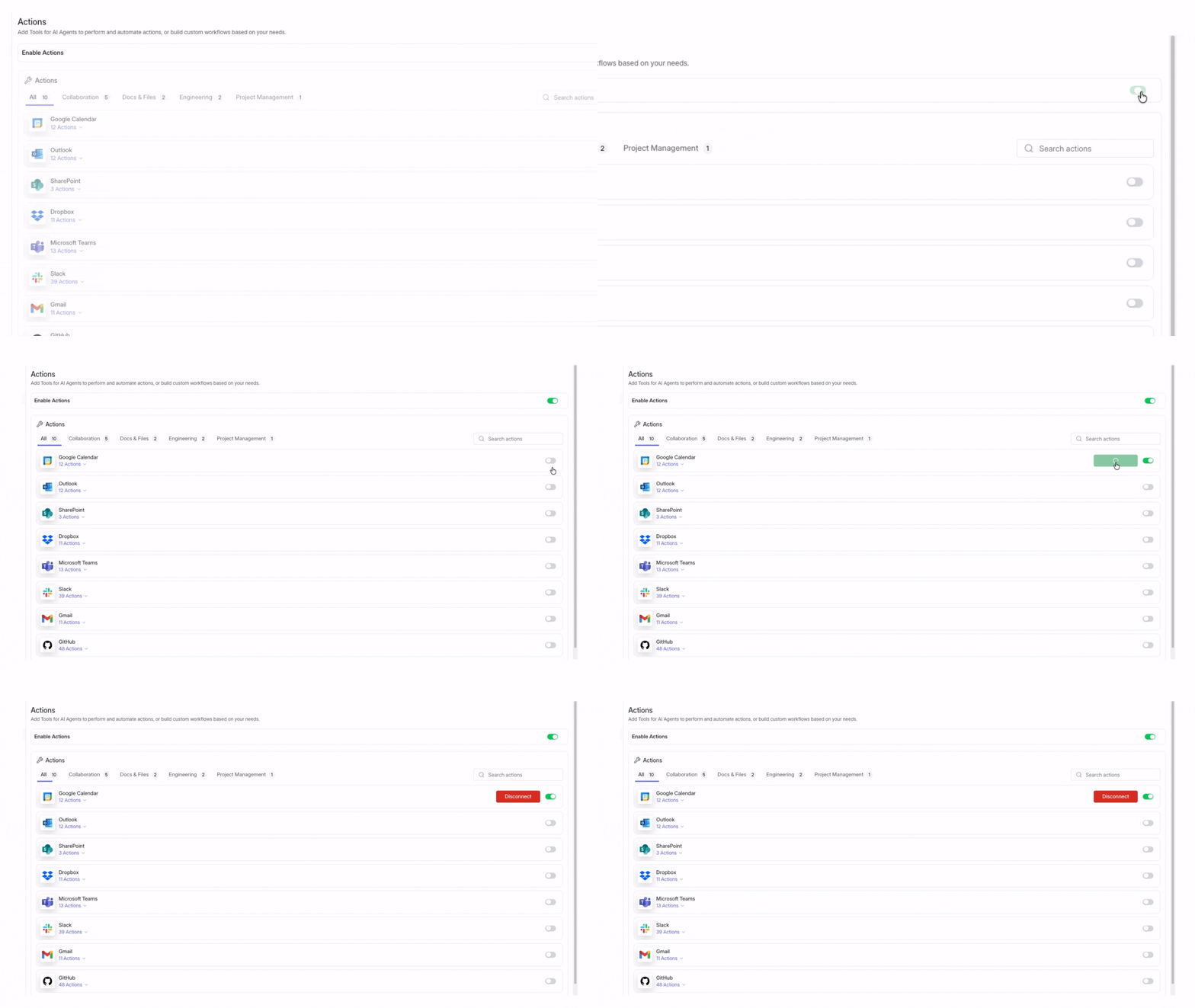
Kroolo's Enterprise Search connects all your tools — Slack, Google Drive, Jira, Salesforce, and more — into one searchable knowledge base.
Type any query and the AI scans across every connected tool and file, returning relevant results in seconds. Filter by source, open files directly.
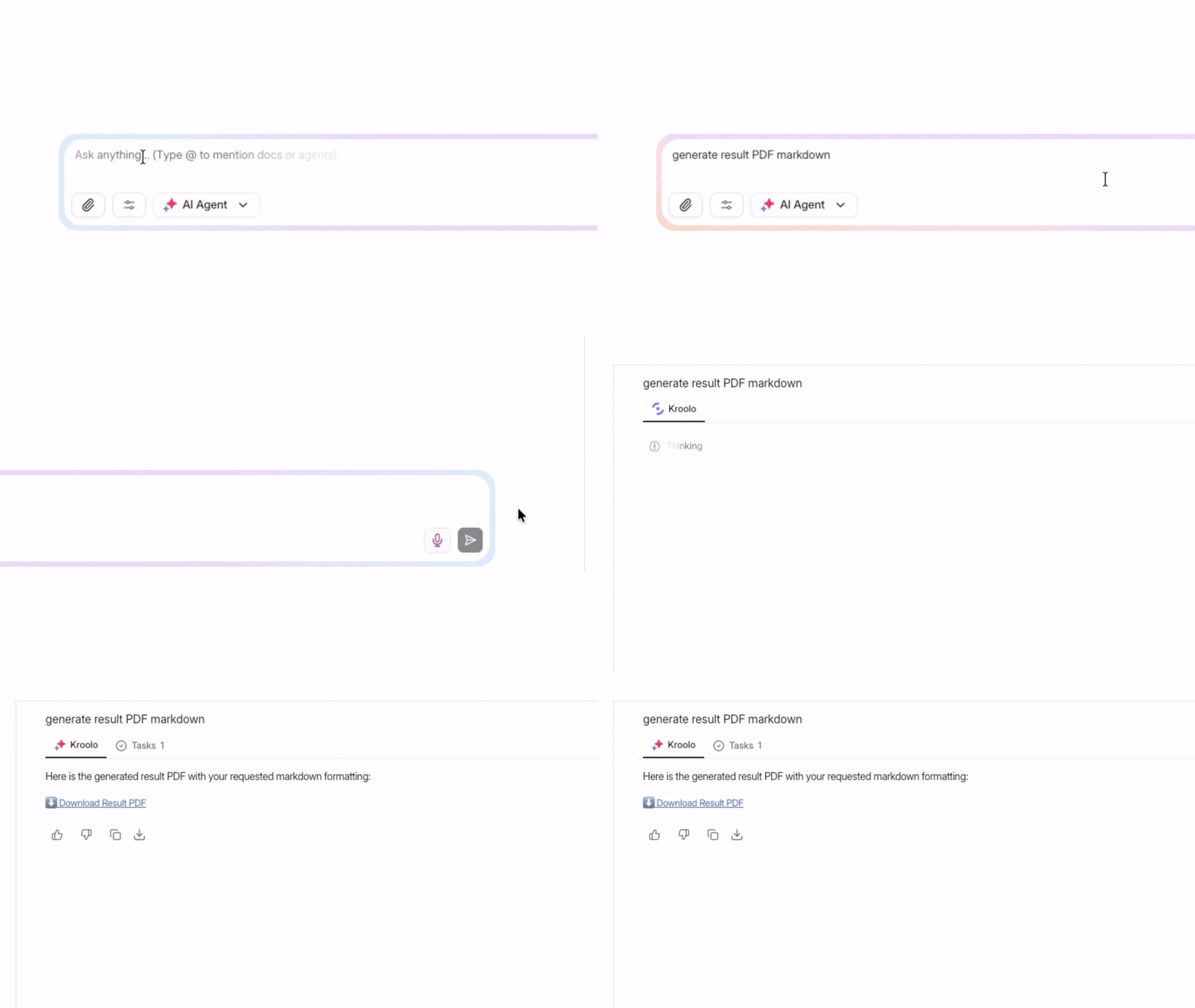
If you need a deeper answer, switch to the Enterprise Chat mode — ask a question and get a sourced, accurate response pulled from your entire organisational knowledge base, exportable as PDF or markdown.
For remote teams spread across time zones, this means no one ever wastes twenty minutes hunting for something that already exists.
Remote agency communication moves fast. By the time a leader opens a channel, there are fifty messages to parse before they understand what was decided, what's blocked, and what needs their attention.
Kroolo solves this with one click. Open any channel, hit Ask AI, and get a clean summary of everything discussed — key decisions, open questions, and action items — without reading a single thread. Export it, share it, or ask follow-up questions on the spot.
Remote leaders stay informed without being buried in noise.
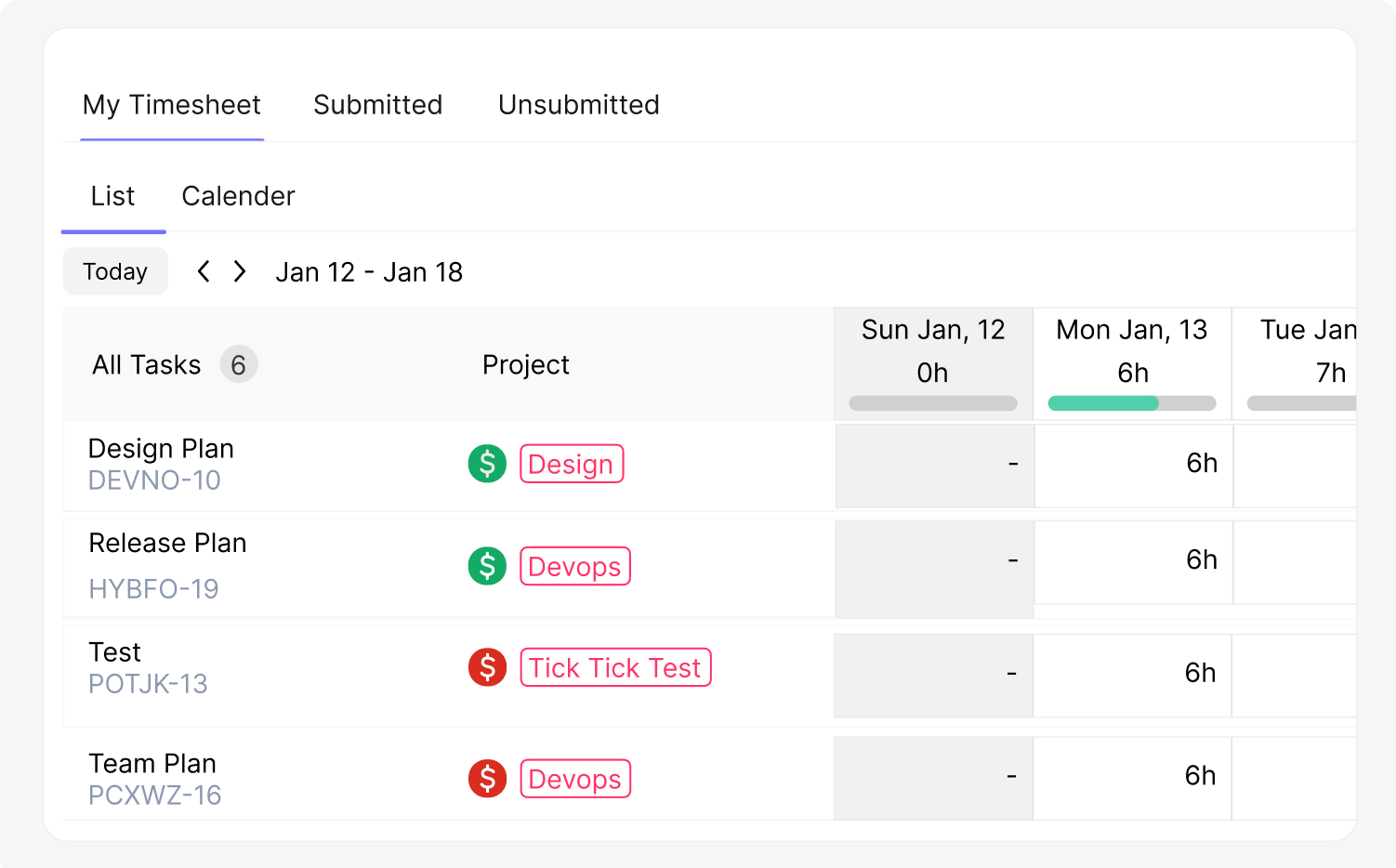
Billing accuracy and resource visibility are two of the most common blind spots in remote agencies. Without real data on where time is actually going, profitability becomes guesswork.
Kroolo's Time Tracking gives leaders a live view of every hour logged across every project and team member — billable vs. non-billable, by task, by project, by client.
The Reports dashboard breaks this down into Time Reports, Expense Reports, and Invoice Reports, all filterable by date range and project.
Leaders see not just what the team is working on, but whether the work being done maps to what the client is actually being charged for.
Visibility in a remote agency isn't just about delivery. It's about the business behind the delivery.
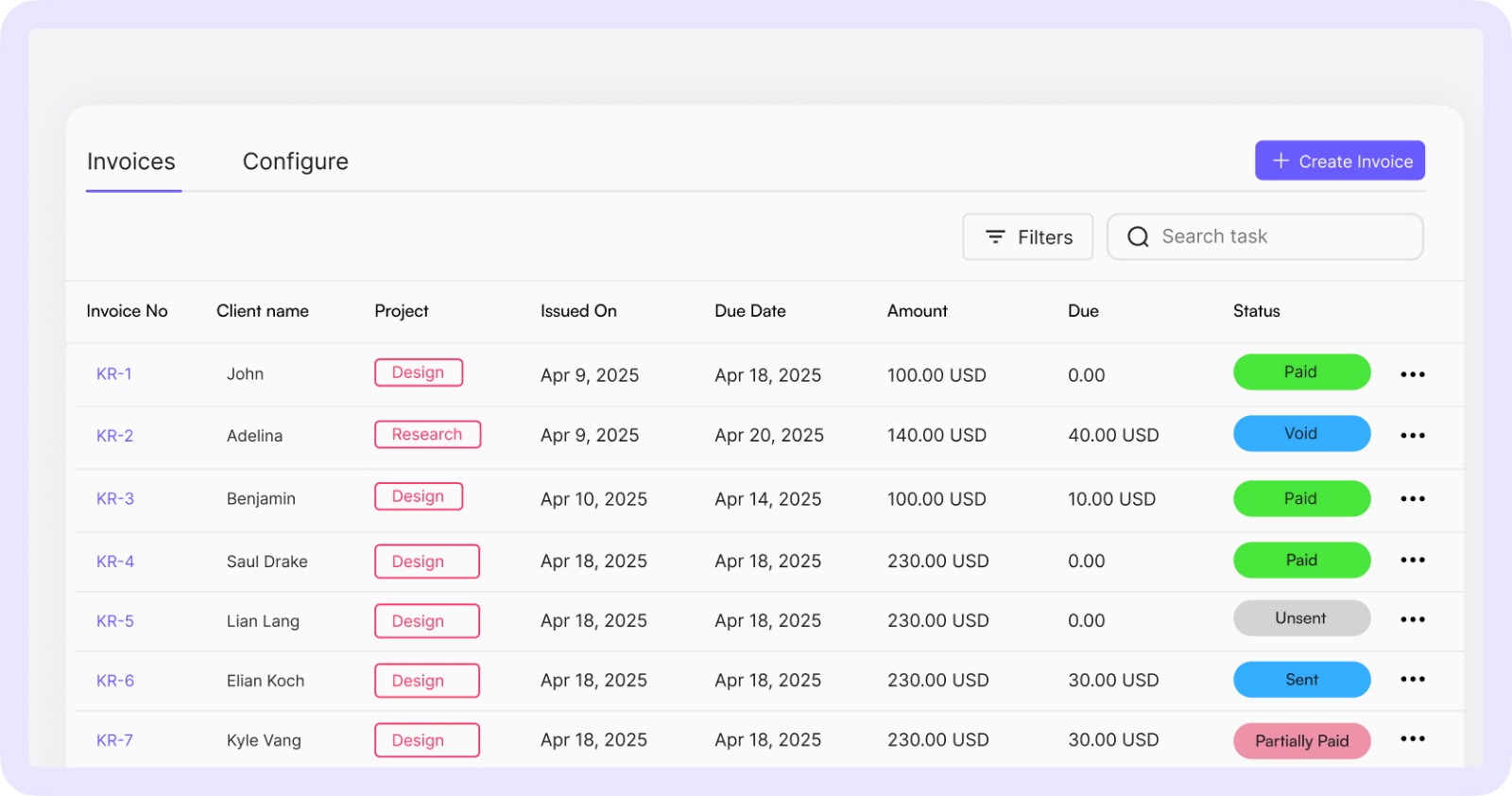
Kroolo's Client Management and Invoicing features keep the financial layer inside the same platform as the work.
Add clients directly in the time tracking system, link them to specific projects, and generate invoices that automatically pull in tracked hours and expenses.
Set tax rates, customise email templates, attach invoices as PDFs, and track payment status — all without opening a separate billing tool.
For remote agency leaders, this closes the loop between what the team delivers and what the business gets paid for — in one place.
Together, these seven capabilities are what make Kroolo a true Single Pane of Glass for remote agency leaders — not just a project manager, not just a chat tool, but a connected operating environment where delivery, communication, intelligence, and billing all live in the same space.
Conclusion
Remote work didn't create the visibility problem — it just made it impossible to ignore.
When your team is distributed across time zones, the gap between what's happening and what you think is happening quietly grows into missed deadlines, burned-out team members, and clients who sense the chaos before you do.
Kroolo closes that gap. One platform where projects, documents, communication, time tracking, and billing all connect — and where AI handles the coordination so your team can focus on work that actually moves the needle.
The best tool for a 100% remote agency isn't the one with the most features. It's the one that gives you back the hours you've been losing — and the clarity to use them well.
Stop managing by status update. Start managing by insight.
Sign up with Kroolo for free and give your remote agency the visibility it deserves.